Cloud vs Desktop Dental Software: Which Suits Your Clinic?
Cloud vs desktop dental software, decided by what breaks: a dead front-desk machine or a dropped connection. Plus the costs and data questions nobody raises.
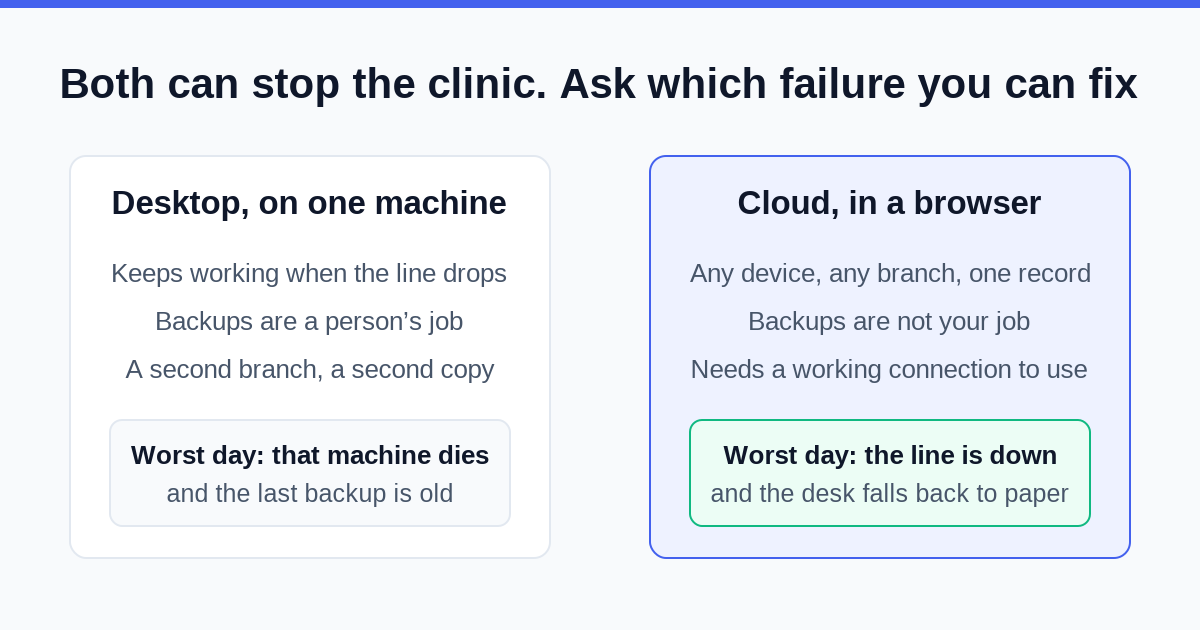
The cloud vs desktop dental software choice comes down to which failure you would rather handle. Desktop software keeps working when your line drops but stops dead when that one machine dies, and the backup is somebody's personal responsibility. Cloud software needs a working connection and makes backups not your problem. Neither is safer in general. They fail differently, and one of those failures is easier to recover from in your clinic.
What actually breaks in each setup?
Different things, at different frequencies, with very different recovery times.
With software installed on a machine at the front desk, the common incidents are small and frequent: the machine is slow, the printer driver breaks after an update, the second computer cannot see the first one. The rare incident is catastrophic. A failed drive or a stolen tower takes your patient records with it unless somebody has been copying them off, regularly, to something that is not in the same room.
With browser-based software the common incident is the connection, and it is genuinely disruptive: no line means no booking, no charting and no receipts until it returns. The rare incident is the provider having an outage, which you cannot fix and can only ask about in advance. What does not happen is losing the records because of something that happened in your building.
Does unreliable internet rule out cloud software?
Not by itself, but it changes what you should test and what you should ask for.
Test it on your own connection, at your own busiest hour, in the room where the work happens. A demo on the vendor's fibre tells you nothing. Then ask two concrete questions: how much data does a normal day actually use, and what does the software do when the line drops mid-task, as opposed to what it does when the line is simply down. Software that loses a half-typed treatment note on a flicker is worse than software that waits.
Then plan for the gap honestly. Most clinics we see with a shaky line keep a phone hotspot and a paper day sheet, and a backup line costs less than a server. Our own product is online only with no offline mode. That is a real trade: it means two machines can never disagree about a patient's balance, and it also means a dead line stops the desk.
What does each one cost to keep running?
Compare the whole picture over several years, not the first invoice.
A desktop system usually means a licence, a machine capable of running it, somebody to maintain both, and a backup routine that only exists if you pay for it in time or money. A subscription bundles the maintenance and the backups and spreads the cost, which suits a clinic without an IT person and annoys one that already has a working server. Our own plans and what is in them are published, and every feature is in every plan, so the comparison you are making is against the running cost of hardware rather than against a feature list.
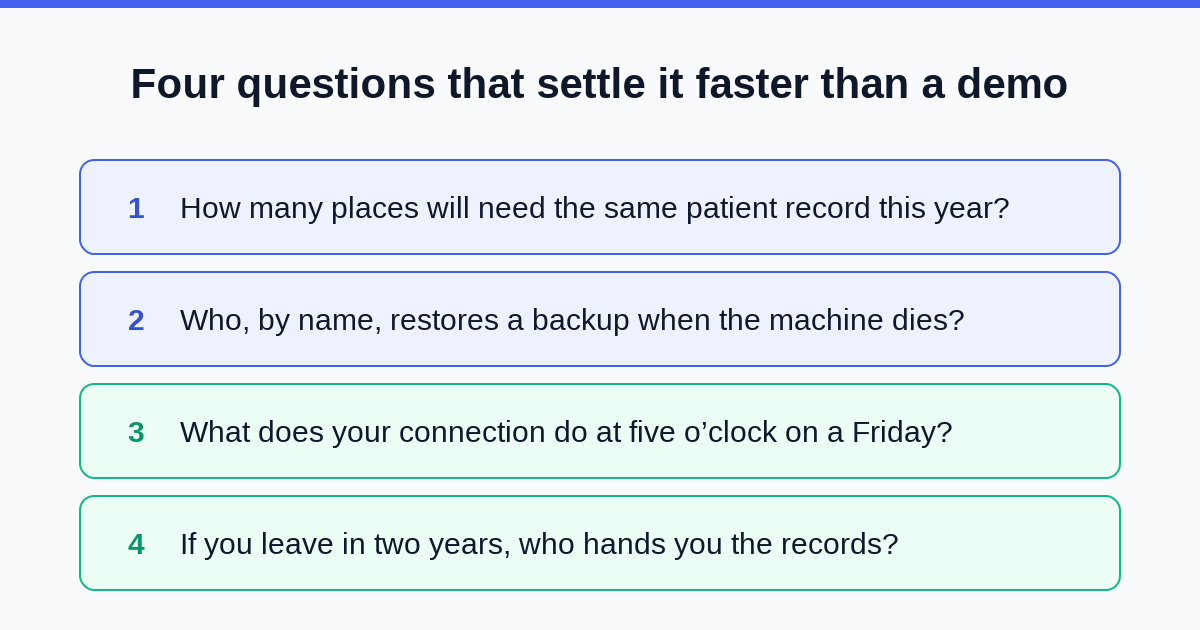
The cost people forget is a second site. Installed software generally means a second installation, a second machine and a joining-up exercise. Browser-based software usually means a login, which is why clinics growing past one location tend to end up there regardless of what they started on.
Common questions
Can we move from a desktop system without losing history?
Usually yes, if you can get a clean export out of the old one. The export is the hard part, not the import. Our free CSV import with a dry run exists so that the second half is not a paid project. The practical sequence, in the order that actually works, is in our guide to moving systems without losing records.
Do we need an app on everyone's phone?
No. Browser-based software runs on the tablet or laptop you already have, with nothing to install. In our case a phone is for checking the day rather than working through it, since the real work needs a tablet-sized screen at minimum.
If your clinic has one site, one machine and someone who genuinely tests the backups, desktop software is a defensible choice. If you have two sites, no IT person, or plans to add either, the decision is mostly made. To see how the browser version behaves on your own connection, start a free trial.
See CuspFlow run your clinic
Every feature, unlimited branches, 30-day free trial. No card required.